
Audiobook Downloader and Converter Online Tutorial
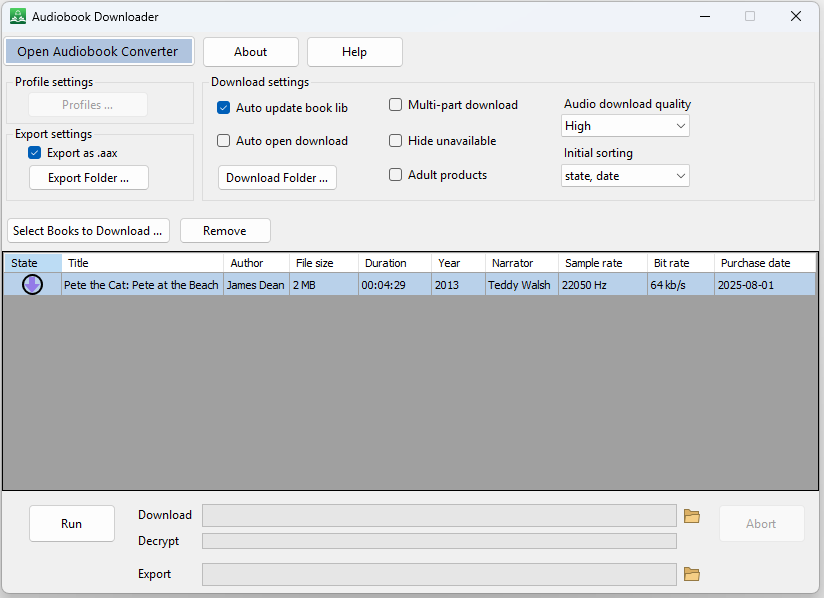
Do you need to download your audiobooks from Audible.com? Do you need to convert your AAX audiobooks to MP3 or M4B? Audiobook Downloader and Converter can help you do all of this. With our specialized tools, you can enjoy your audiobooks on any device.
In this tutorial, we cover the following topics: When to use Audiobook Downloader? How to use Audiobook Downloader? How to create a new profile? How to download and export audiobooks? When to use Audiobook Converter? How to use Audiobook Converter? What to do if you don’t know the activation code?
Main Features
- Download audiobooks from Audible.com as M4B directly
- Download audiobooks from Audible.com as AAX.
- Convert AAX to MP3.
- Convert AAX to M4B.
- Separate Audiobook Downloader and Audiobook Converter tools.
What Tools Does Audiobook Downloader and Converter Provide?
Audiobook Downloader and Converter includes two separate tools: Audiobook Downloader and Audiobook Converter. Within each tool, you can switch to the other by clicking the corresponding buttons: “Open Audiobook Downloader” and “Open Audiobook Converter”.
When to Use Audiobook Downloader?
Use Audiobook Downloader when you:
- Have an Audible account and want to download your audiobooks as .M4B files.
- Have an Audible account and want to download your audiobooks as .AAX files.
When to Use Audiobook Converter?
Use Audiobook Converter when you:
- Have .AAX files and want to convert them to .M4B files.
- Have .AAX files and want to convert them to .MP3 files.
When to Use Both Audiobook Downloader and Audiobook Converter?
Use both Audiobook Downloader and Audiobook Converter when you have an Audible account and want to download your audiobooks as .MP3 files.
Pages: 1 | 2 | 3 | 4 | 5