Audiobook Downloader and Converter Online Tutorial
How to Download Audiobooks?
Once all the setup is complete, you can start downloading audiobooks.
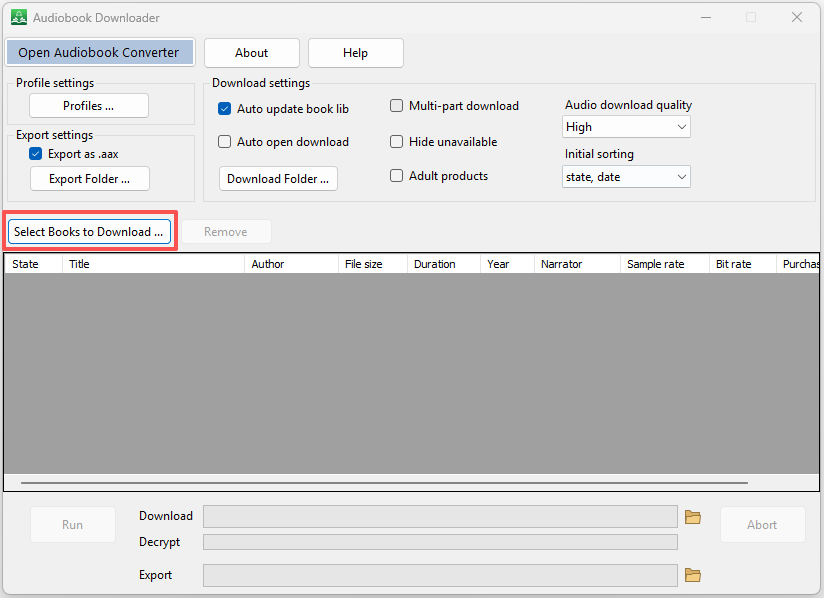
i) Click the “Select Books to Download” button to open your audiobook library.
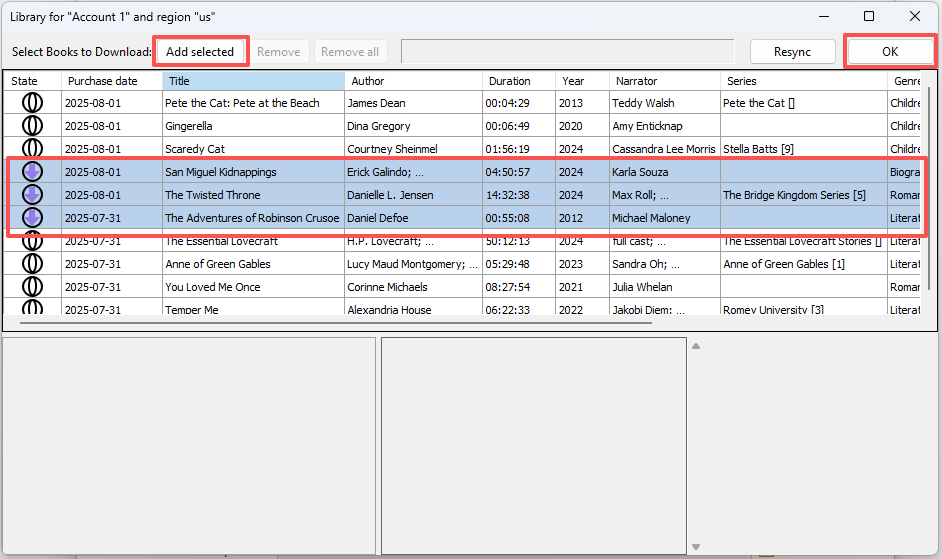
ii) In the Library window, select one or more books that you want to download, then click the “Add selected” button. Click the “OK” button to close the library window.
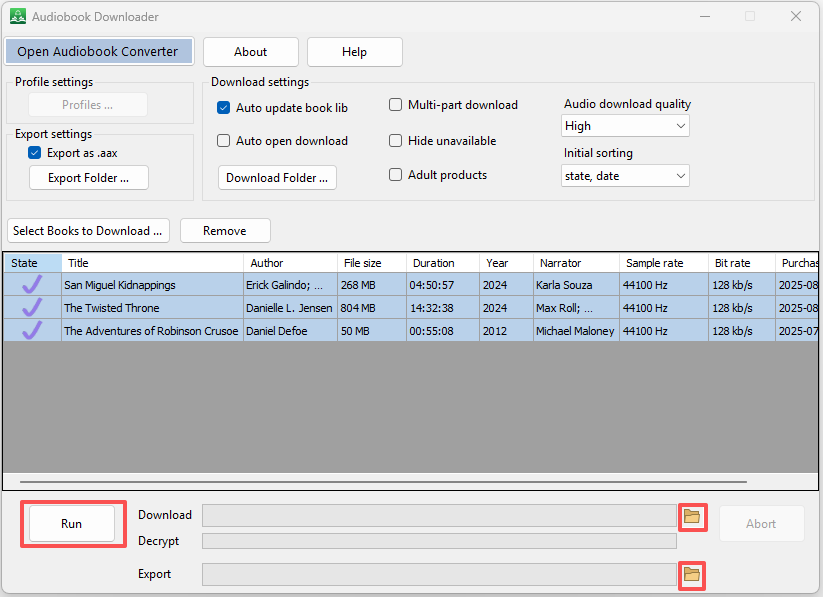
iii) Click the “Run” button to begin downloading and exporting.
iv) When all tasks are complete, click the two small buttons to open the download folder and export folder to view your files.